Terrain Editor
Overview
This was my specialization project at The Game Assembly. My goal with the terrain editor was to let the user create terrain both by raising and lowering terrain, like the landscape tool in Unreal, but also by sculpting in 3D. Instead of using a heightmap, my terrain was to be generated with the Marching Cubes algorithm. This would allow for vertices to exist above each other, something a heightmap can’t allow, making it possible to sculpt things like tunnels and overhangs.
Here is an in order breakdown of how I created this terrain editor:
Creating a mesh
My first step was to implement the Marching Cubes algorithm. The algorithm works by taking a 3D grid of values, in my case ranging from 0 to 1. It then goes through all the values. For each point it checks the neighbouring 7 points, making a local cube out of all the points. The algorithm then creates triangles inside this cube depending on the values of the points.
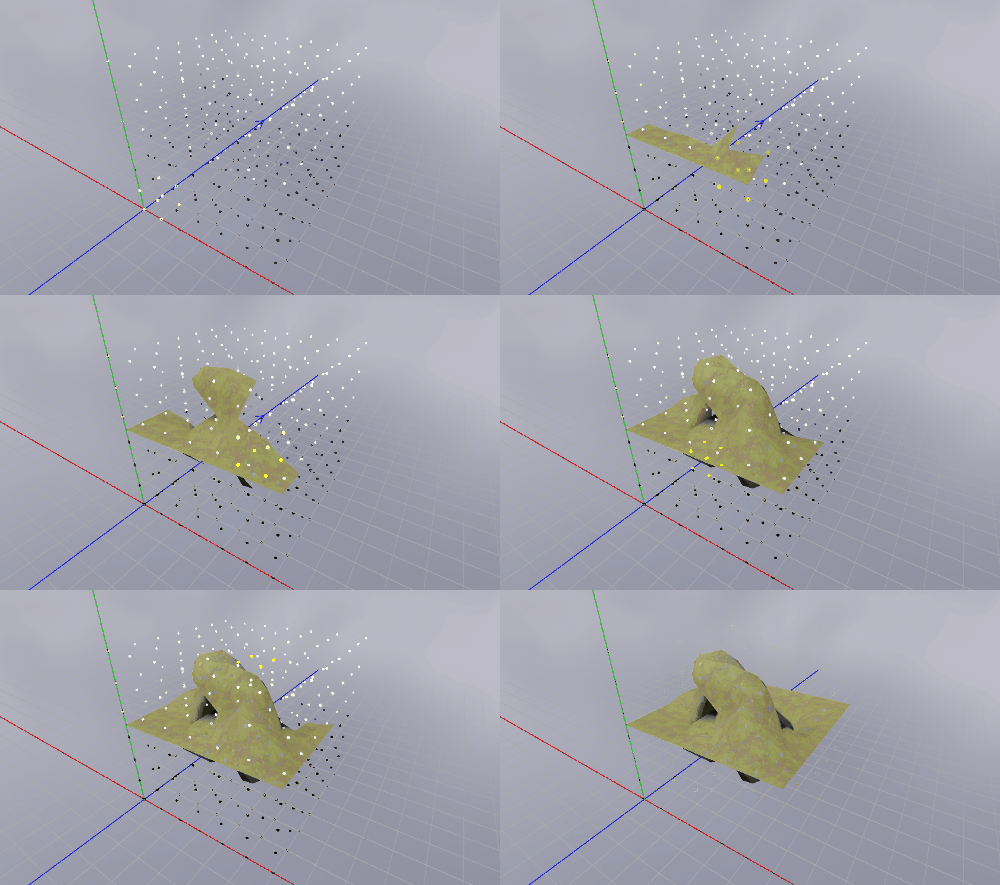
I started off with a fixed grid that would create a wave-like pattern
 1constexpr uint32_t size = 17;
 2std::vector<float> testValues;
 3testValues.resize(size * size * size);
 4for (uint32_t z = 0; z < size; ++z)
 5{
 6	for (uint32_t y = 0; y < size; ++y)
 7	{
 8		for (uint32_t x = 0; x < size; ++x)
 9		{
10			testValues[size * size * z + size * y + x] =
11			FMath::Clamp((static_cast<float>(y) + sin(static_cast<float>(x) * 0.6f)
12			* cos(static_cast<float>(z) * 0.6f)) / 16.f, 0.f, 1.f);
13		}
14	}
15}
I then made my first implementation of the algorithm.
 1constexpr float surfaceLevel = 0.5f;
 2
 3void TerrainCreation::GenerateMesh(Goose::ModelAsset::MeshData& aMeshData, const std::vector<float>& aVoxelValues,
 4const uint32_t aSize)
 5{
 6	std::vector<Tga::Vector3f> vertexPositions;
 7	const uint32_t squaredSize = aSize * aSize;
 8	const uint32_t cellSize    = aSize - 1;
 9
10	for (uint32_t z = 0; z < cellSize; ++z)
11	{
12		for (uint32_t y = 0; y < cellSize; ++y)
13		{
14			for (uint32_t x = 0; x < cellSize; ++x)
15			{
16				uint32_t cubeIndex{};
17				float dataCube[8]{};
18
19				for (uint32_t i = 0; i < std::size(localCornerChecks); i++)
20				{
21					const Tga::Vector3ui& check = localCornerChecks[i];
22					dataCube[i]                 = aVoxelValues[(z + check.z) * squaredSize +
23					(y + check.y) * aSize + x + check.x];
24					if (dataCube[i] > surfaceLevel)
25					{
26						cubeIndex |= 1 << i;
27					}
28				}
29
30				const Tga::Vector3f origin(static_cast<float>(x),
31				static_cast<float>(y),
32				static_cast<float>(z));
33
34				for (int a = 0; localTriangleTable[cubeIndex][a] != -1; a += 3)
35				{
36					const int startEdgeIndex0 =
37					localEdgeIndices[localTriangleTable[cubeIndex][a]][0];
38					const int endEdgeIndex0   =
39					localEdgeIndices[localTriangleTable[cubeIndex][a]][1];
40
41					const int startEdgeIndex1 =
42					localEdgeIndices[localTriangleTable[cubeIndex][a + 1]][0];
43					const int endEdgeIndex1   =
44					localEdgeIndices[localTriangleTable[cubeIndex][a + 1]][1];
45
46					const int startEdgeIndex2 =
47					localEdgeIndices[localTriangleTable[cubeIndex][a + 2]][0];
48					const int endEdgeIndex2   =
49					localEdgeIndices[localTriangleTable[cubeIndex][a + 2]][1];
50
51					vertexPositions.emplace_back(origin + FMath::Lerp(cornerTable[startEdgeIndex0],
52					cornerTable[endEdgeIndex0],
53					(surfaceLevel - dataCube[startEdgeIndex0]) / (
54					dataCube[endEdgeIndex0] - dataCube[startEdgeIndex0])));
55
56					vertexPositions.emplace_back(origin + FMath::Lerp(cornerTable[startEdgeIndex1],
57					cornerTable[endEdgeIndex1],
58					(surfaceLevel - dataCube[startEdgeIndex1]) / (
59					dataCube[endEdgeIndex1] - dataCube[startEdgeIndex1])));
60
61					vertexPositions.emplace_back(origin + FMath::Lerp(cornerTable[startEdgeIndex2],
62					cornerTable[endEdgeIndex2],
63					(surfaceLevel - dataCube[startEdgeIndex2]) / (
64					dataCube[endEdgeIndex2] - dataCube[startEdgeIndex2])));
65				}
66			}
67		}
68	}
69}
To verify that the algorithm was working I first rendered triangles with debug lines.
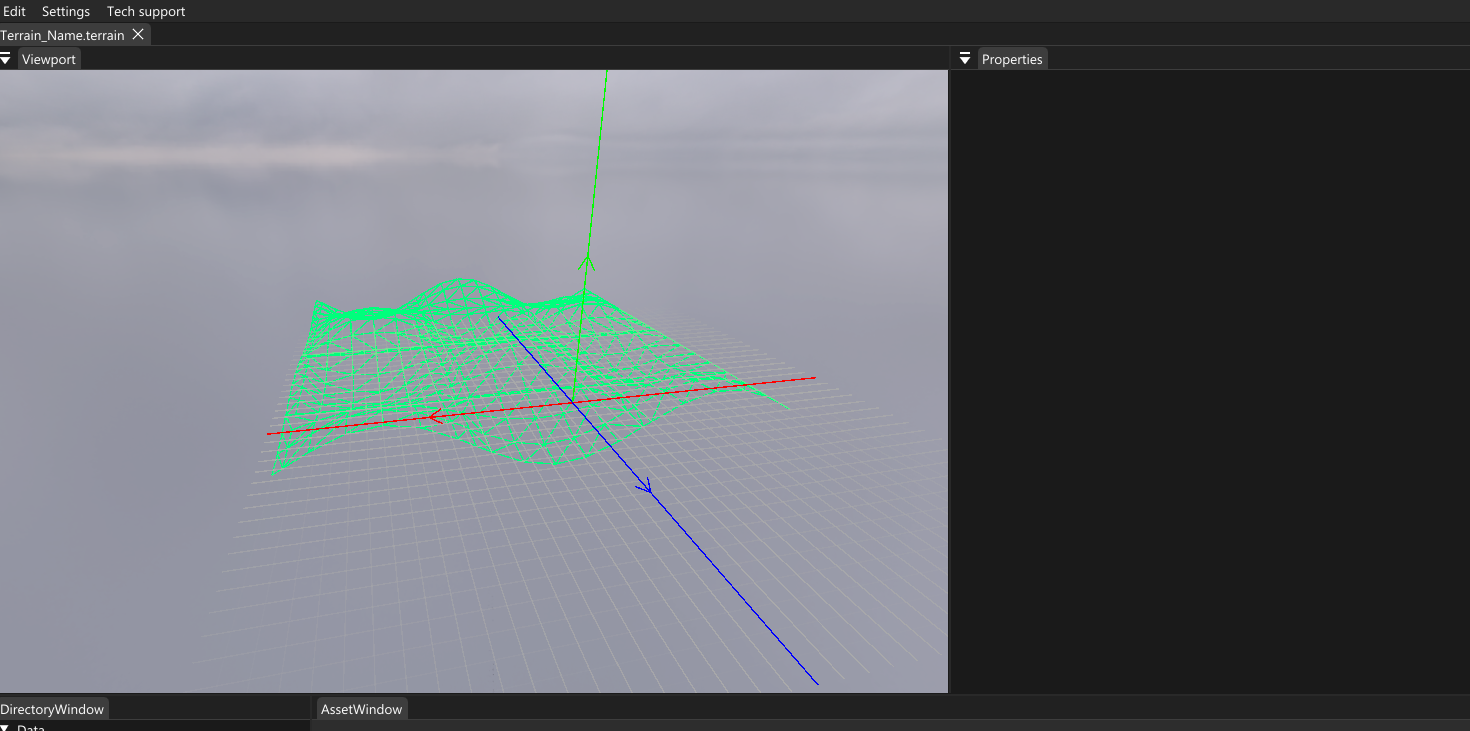
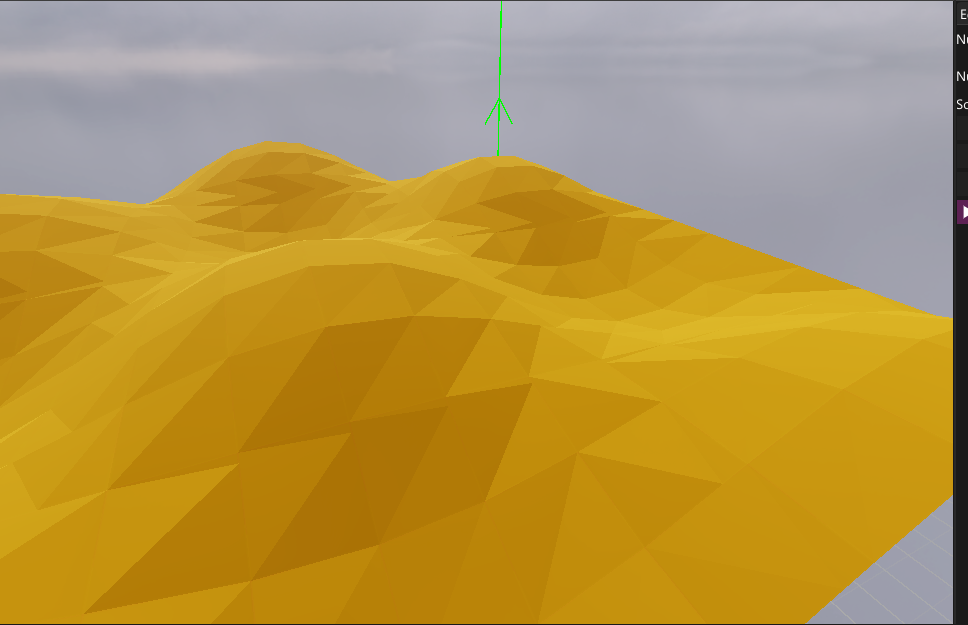
When the algorithm worked correctly I then generated a mesh with the vertices and rendered it with a basic material.
Smooth shading
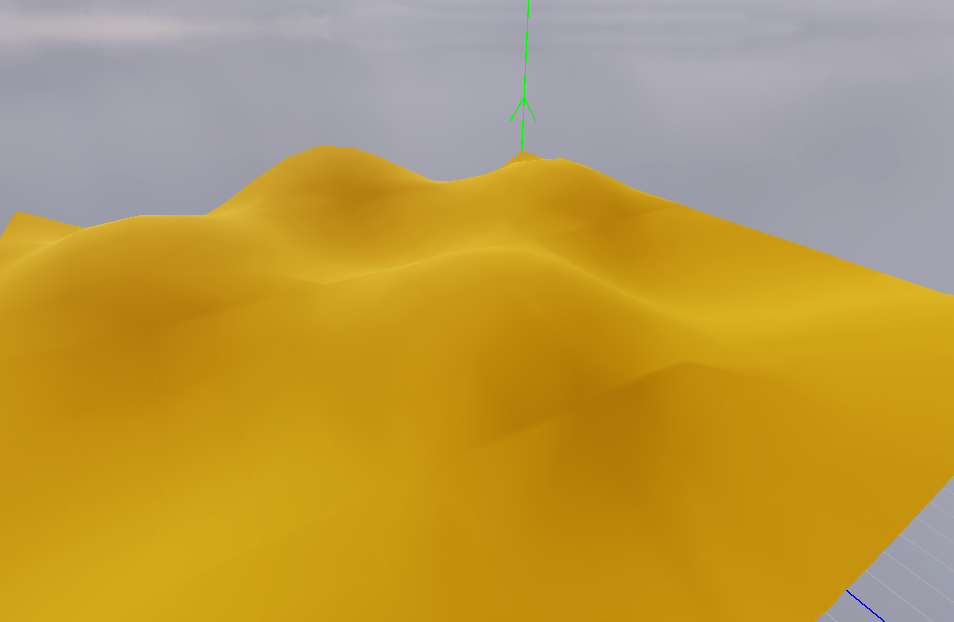
So far the terrain’s mesh did not share vertices between triangles, making the terrain flat shaded. This is not uncommon for marching cubes terrain in general but I wanted my terrain to be smooth. To do this, I needed to create a VertexID and a map going from VertexID to index inside the vertexPosition vector.
 1struct VertexID
 2{
 3	Tga::Vector3<TerrainCreation::ChunkSizeType> pos1;
 4	Tga::Vector3<TerrainCreation::ChunkSizeType> pos2;
 5
 6	bool operator==(const VertexID& aId) const
 7	{
 8		return pos1 == aId.pos1 && pos2 == aId.pos2;
 9	}
10};
1
2std::vector<Tga::Vector3f> vertexPositions;
3std::unordered_map<VertexID, uint32_t> idToIndex;
 1
 2const Tga::Vector3f origin(x, y, z);
 3const Tga::Vector3 baseId{ x,y,z };
 4for (int a = 0; localTriangleTable[cubeIndex][a] != -1; a++)
 5{
 6	const int startEdgeIndex0 = localEdgeIndices[localTriangleTable[cubeIndex][a]][0];
 7	const int endEdgeIndex0   = localEdgeIndices[localTriangleTable[cubeIndex][a]][1];
 8
 9	VertexID id{ .pos1 = baseId + cornerChecks[startEdgeIndex0],.pos2 = baseId + cornerChecks[endEdgeIndex0] };
10
11	const auto [iterator, result] = idToIndex.insert({ id, static_cast<uint32_t>(vertexPositions.size()) });
12
13	if (result)
14	{
15		vertexPositions.emplace_back(origin + FMath::Lerp(cornerTable[startEdgeIndex0], cornerTable[endEdgeIndex0],
16			(surfaceLevel - dataCube[startEdgeIndex0]) / (
17				dataCube[endEdgeIndex0] - dataCube[startEdgeIndex0])));
18	}
19
20	aMeshData.Indices.emplace_back(iterator->second);
21}
The first tools
When I had a mesh to use as reference I moved on to creating the editing tools. The first one I made was a 3D sculpting tool that would raise the value of nearby points.
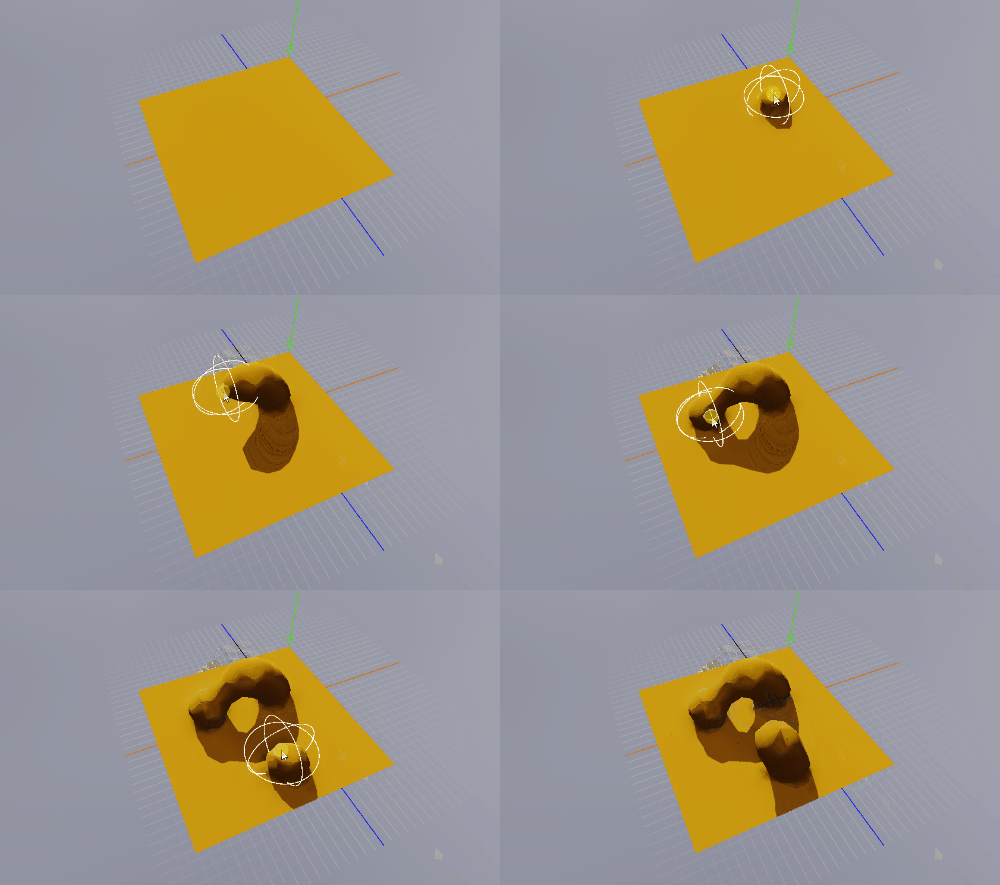
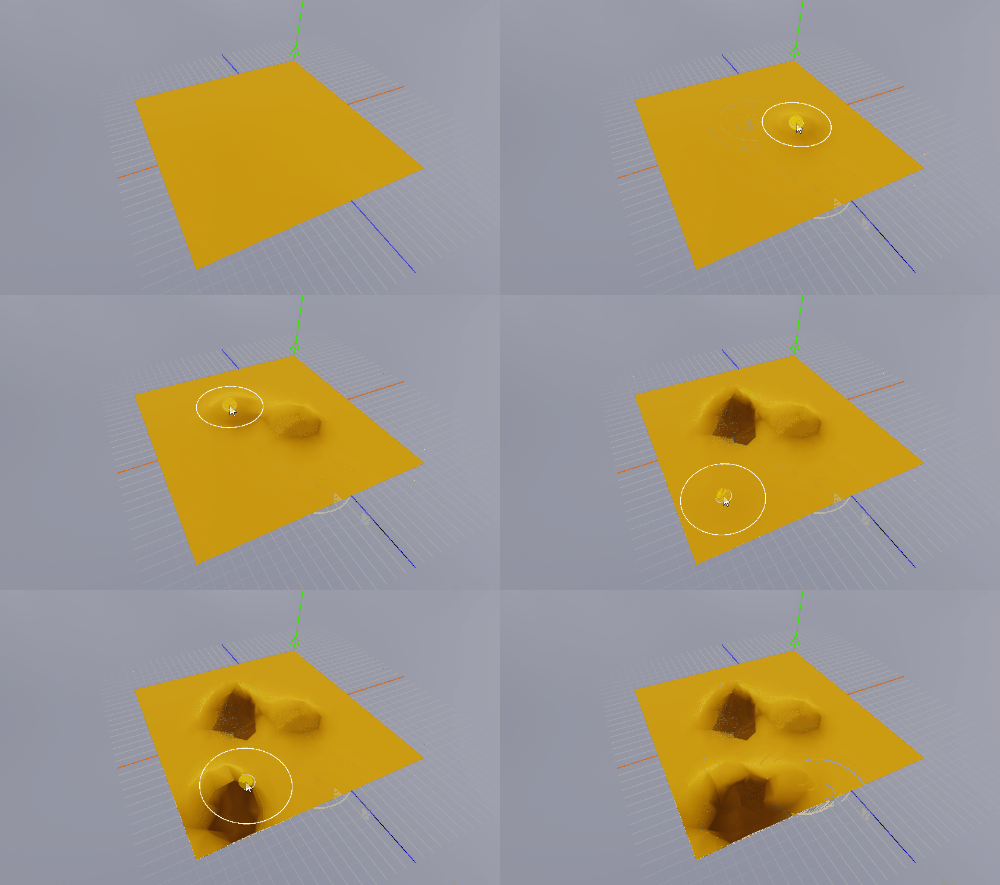
I then created a tool that would lower and raise terrain as if it was a heightmap.
Multiple chunks
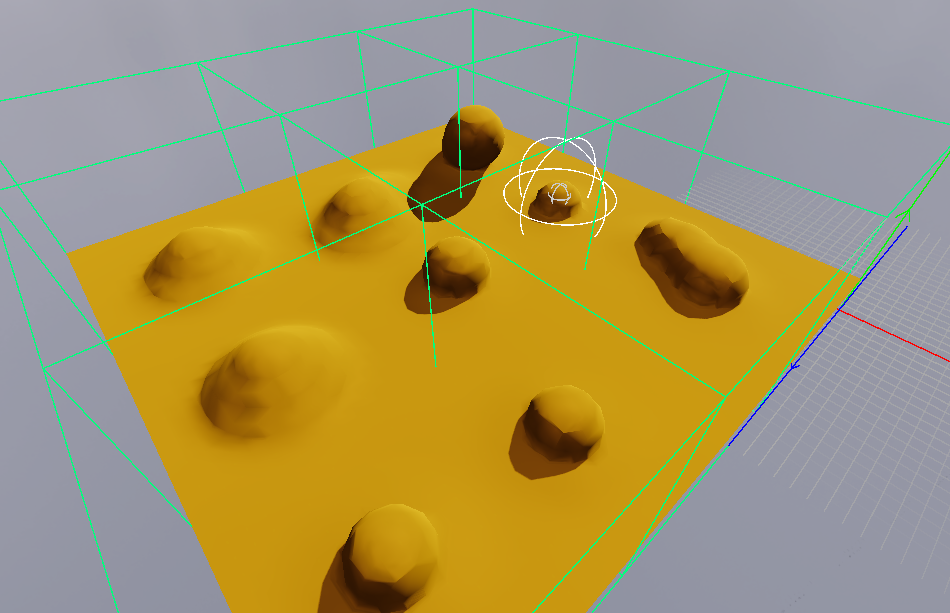
The next step was to increase the area you could edit in. Since the mesh has to be generated every time a value in the grid is changed, the terrain’s mesh needed to be divided into different chunks to make it more performant.
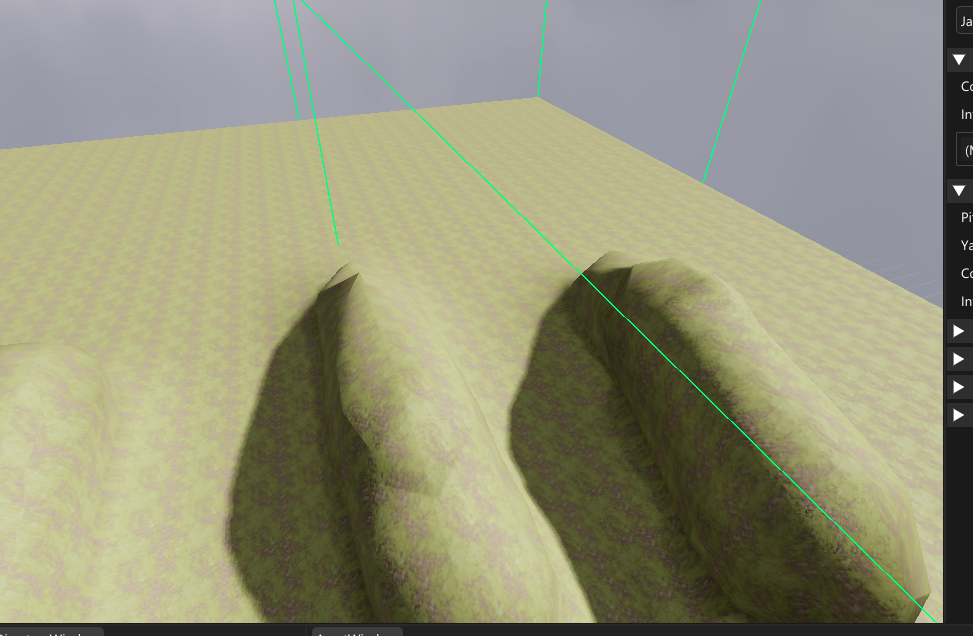
With chunks, a mesh would only be generated if the changed values were in that chunk (represented by the green debug lines in the image below).
Erase, Flatten and Smooth
With a bigger terrain to edit on it was time to implement more tools to edit with.
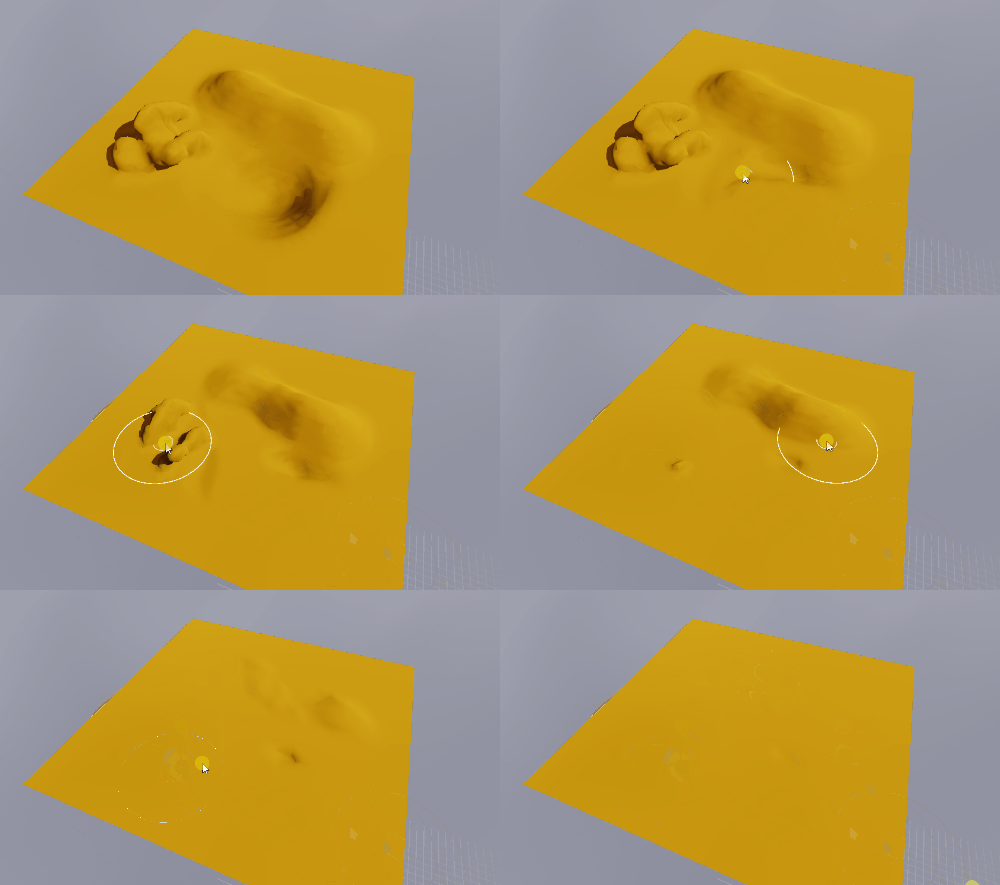
I made a tool to erase sculpting done..
.., a tool to flatten terrain..
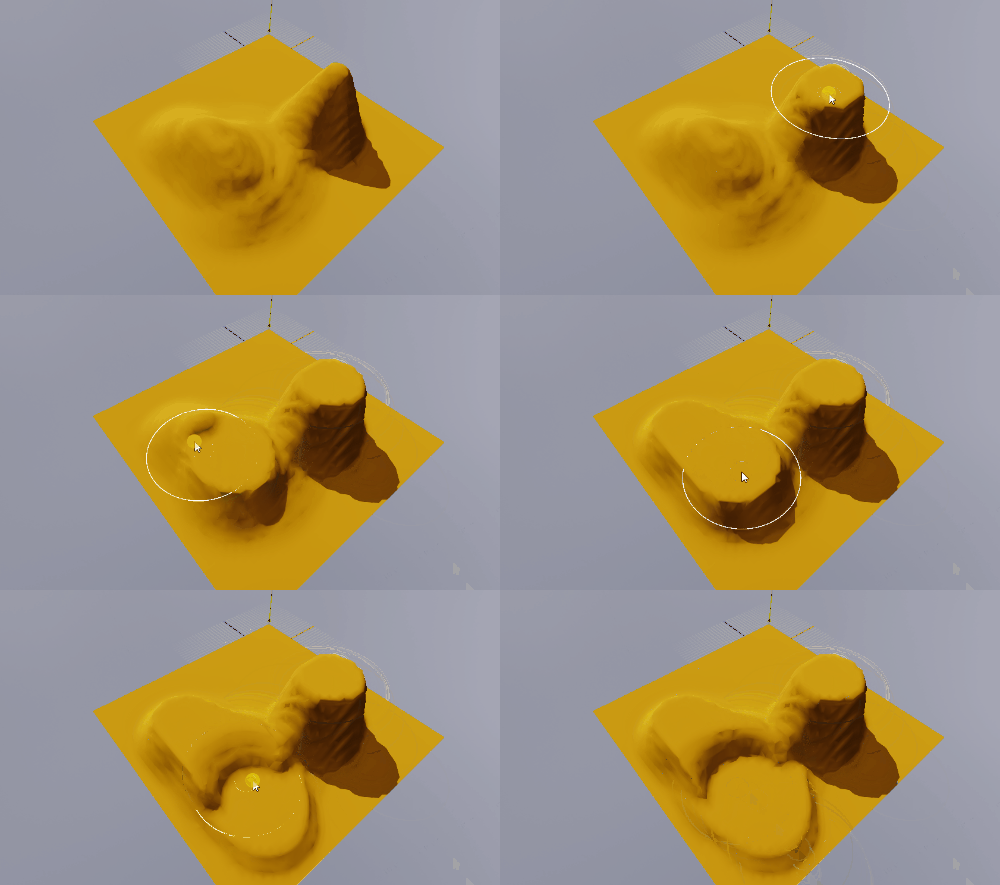
.., and a tool to make the terrain smoother.
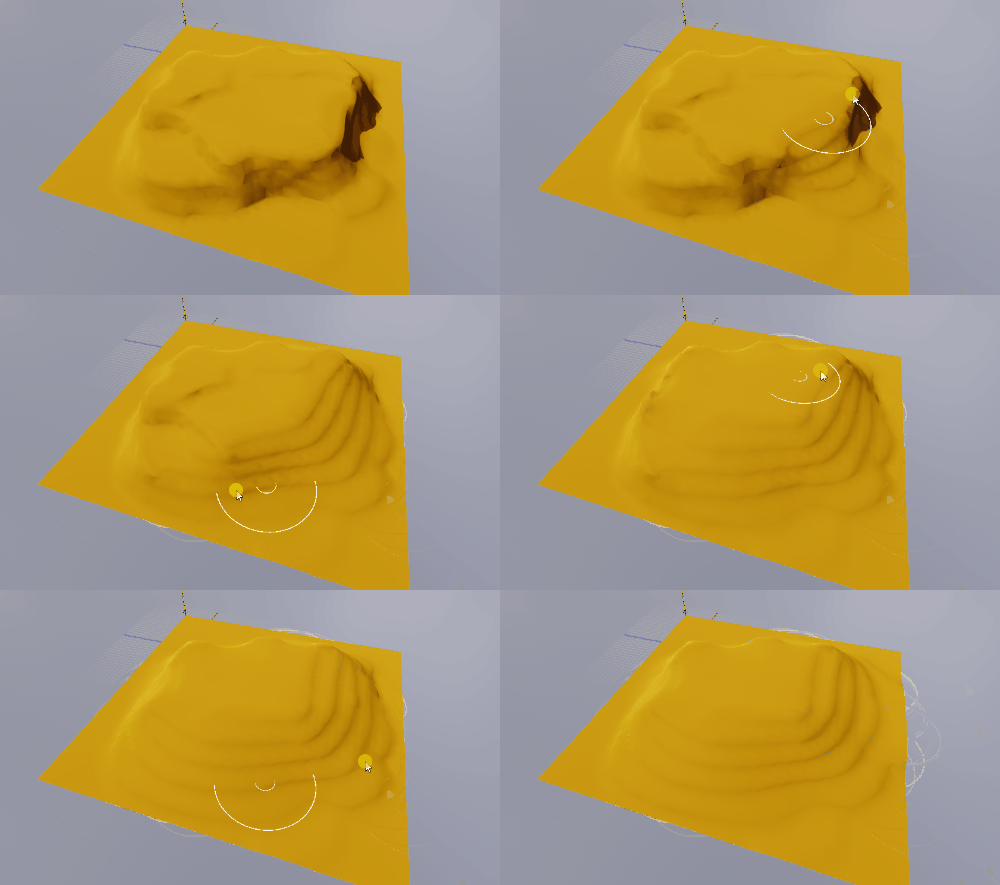
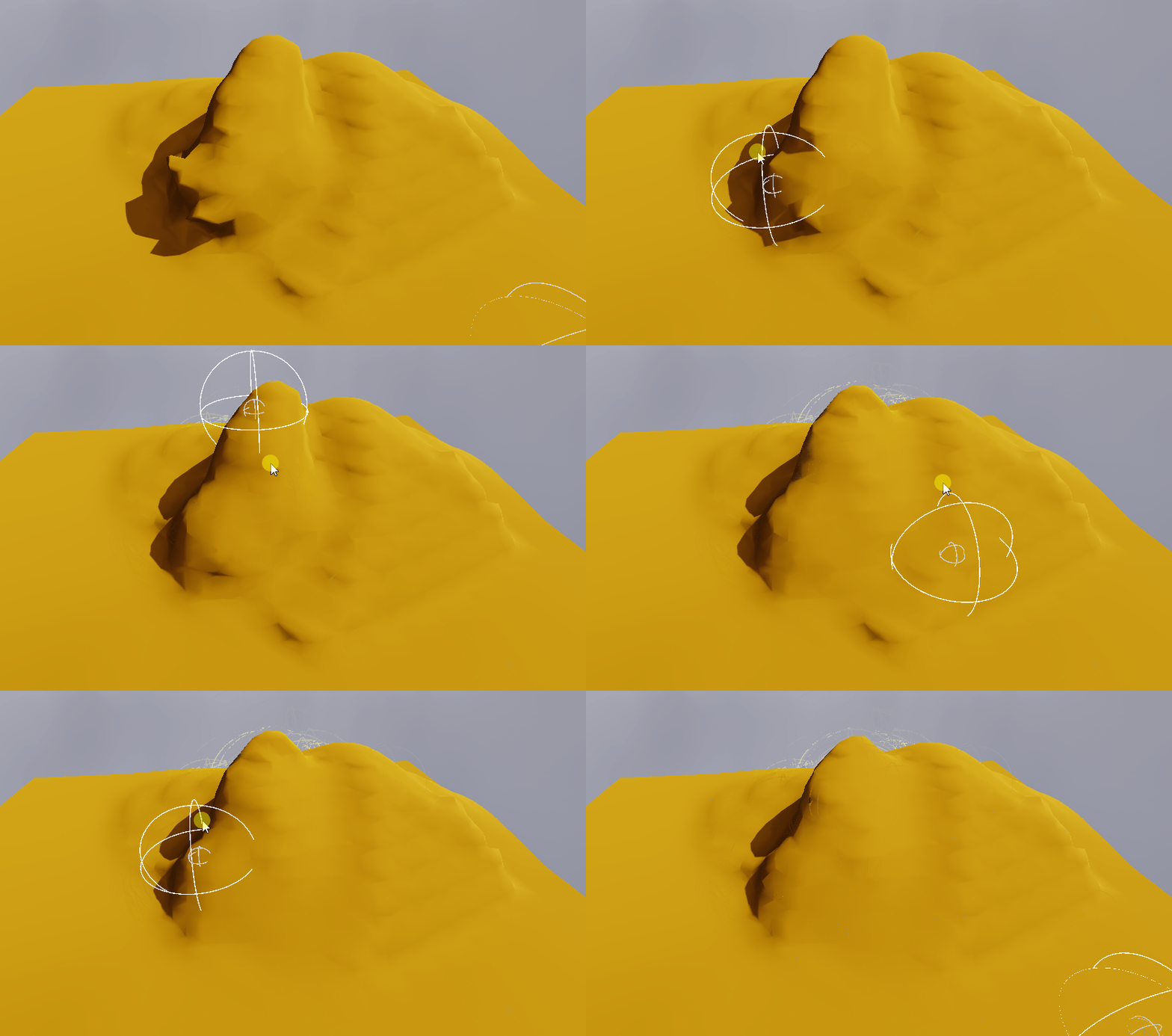
I also made a 3D variant of the smoothing tool that is better to use on more 3D sculpted terrain.
Ramp and Tunnel
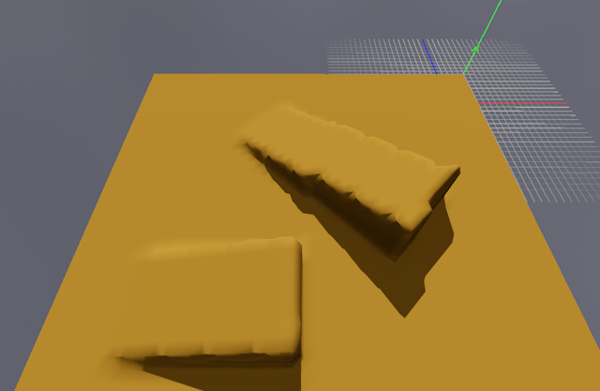
I then moved on to making more complex tools, starting off with a ramp tool. The tool allows the user to select two points on the terrain, move those points if necessary, and create a ramp based on the line between the points
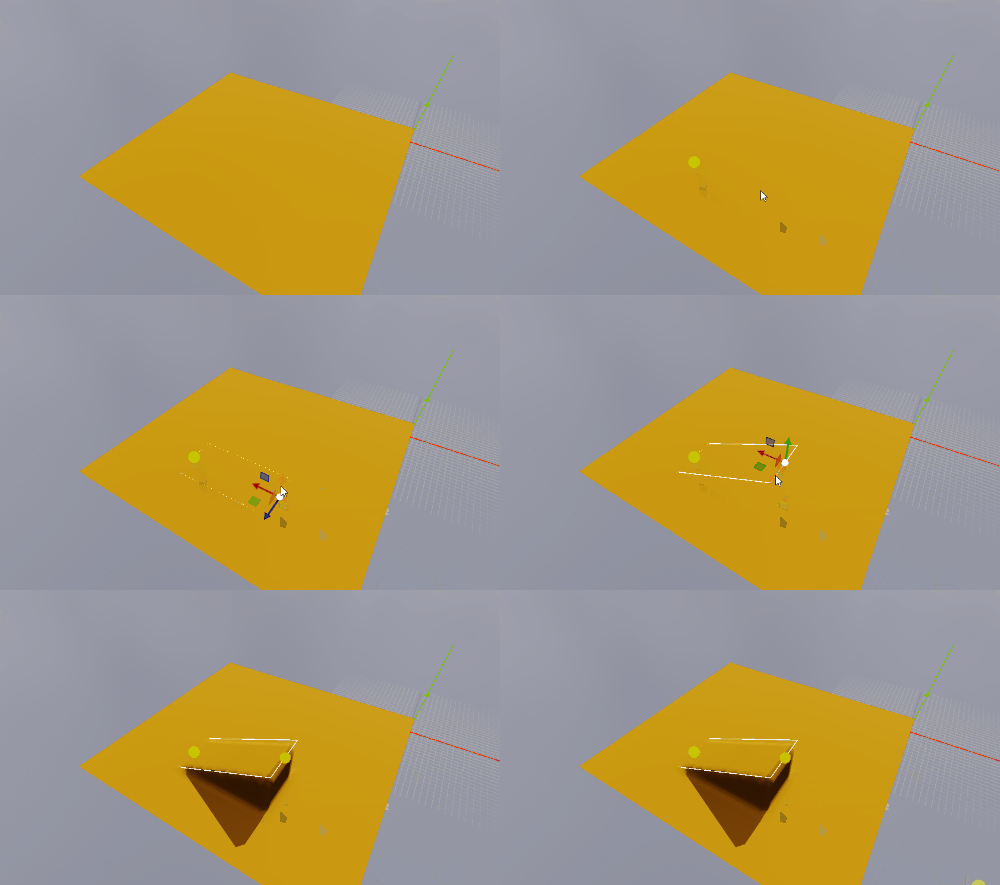
I struggled alot with this one. My biggest issue now is that the sides on the ramp get distorted-like when the ramp is not aligned with the world grid. I have tried to fix it but with no success, so I have left it for the future. You can still use the smooth tools to fix the ramp so it’s not the end of the world.
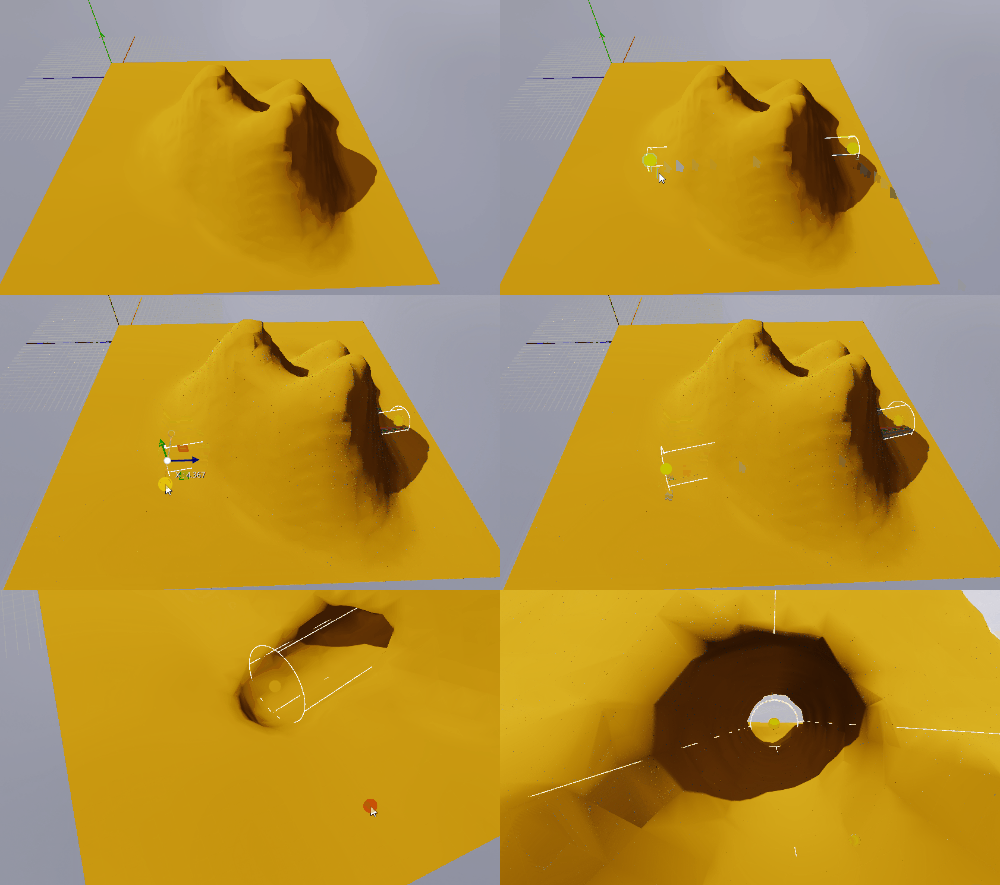
I reused the point selection functionality from the ramp tool to make a new tool. This one removes terrain between the points, creating a tunnel. Fortunately this one has no issues with not being aligned with the world grid.
Textures
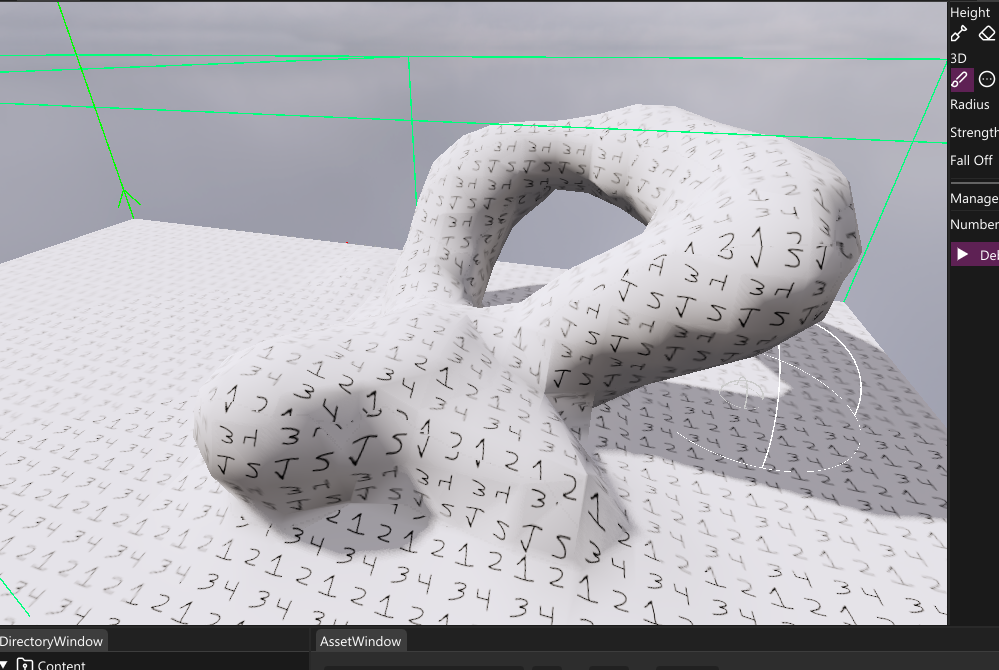
To calculate the UVs for the terrain, I check what axis the normal is most aligned to using the dot product. From this you can use world position as uv, and get an accurate tangent and binormal by using the cross product.
 1float2 uv;
 2
 3float3 tangent;
 4float3 binormal;
 5
 6if (dotX > dotY && dotX > dotZ)
 7{
 8    uv = input.worldPosition.zy;
 9    tangent = normalize(cross(input.normal, float3(0.f, 1.f, 0.f)));
10    binormal = cross(tangent, input.normal);
11}
12else
13{
14	if (dotY > dotX && dotY > dotZ)
15	{
16        uv = input.worldPosition.zx;
17        tangent = normalize(cross(input.normal, float3(1.f, 0.f, 0.f)));
18        binormal = cross(tangent, input.normal);
19    }
20	else
21	{
22        uv = input.worldPosition.xy;
23        tangent = normalize(cross(input.normal, float3(0.f, 1.f, 0.f)));
24        binormal = cross(tangent, input.normal);
25    }
26}
I chose to do this inside the pixel shader, instead of pre-calculating when generating the mesh, since vertices are shared which made this approach look weird
Chunk bugfix
One problem I had when separating the terrain into chunks was that vertices on the chunk’s edge had incorrect normals, causing lighting issues like this:
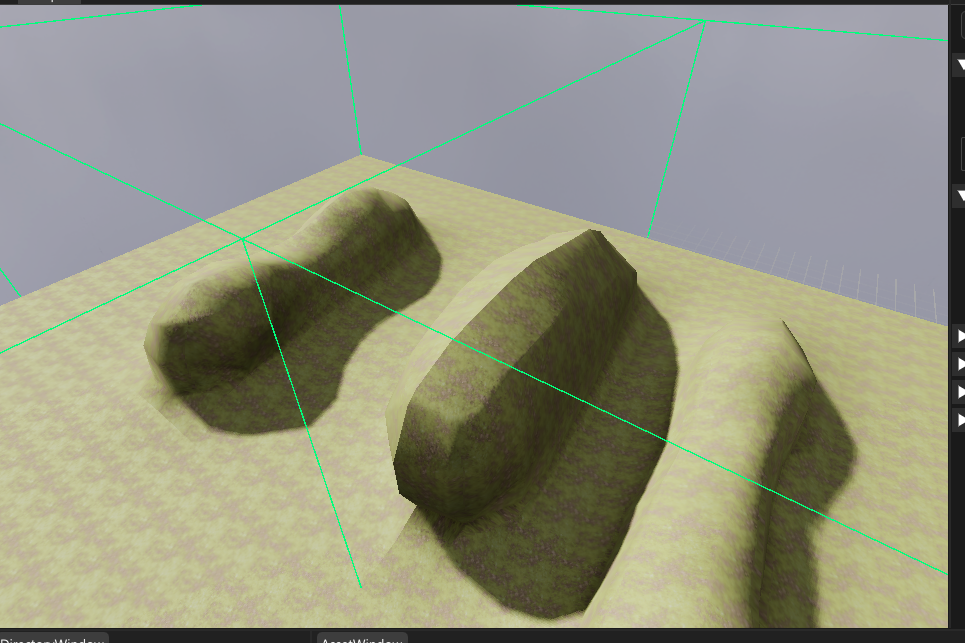
I solved this by adding an extra loop along the points on the edge when generating the terrain, checking with points 1 step outside the chunk. These checks would not add new triangles, but would affect the normals of the vertices if they existed in the chunk.
Optimizations
Editing many chunks at once is very performance-heavy. To increase performance I separated chunk generations into different tasks that would be executed on multiple threads in a thread pool, massively increasing performance.
 1void Goose::TerrainDocument::GenerateChunks(const std::vector<Tga::Vector3<uint32_t>>& aChunks)
 2{
 3	TerrainCreation::GenerationContext context;
 4	context.voxelValues = myTerrain.AccessVoxelValues().data();
 5	context.chunkSize = myTerrain.GetChunkSize();
 6	context.voxelDimensions = myTerrain.GetVoxelDimensions();
 7	context.unitsPerVoxel = myTerrain.GetVoxelsPerUnitInverse();
 8
 9	constexpr uint32_t chunksPerTask = 4;
10
11	uint32_t currentChunkStart = 0;
12
13	while (currentChunkStart + chunksPerTask < aChunks.size())
14	{
15		auto task = [context,currentChunkStart, this,&aChunks]()
16		{
17			const uint32_t zChunkSize = myTerrain.GetChunkDimensions().y * myTerrain.GetChunkDimensions().x;
18			TerrainCreation::GenerationContext localContext = context;
19			for (uint32_t i = currentChunkStart; i < currentChunkStart + chunksPerTask; ++i)
20			{
21				auto& chunk = aChunks[i];
22
23				localContext.voxelStart = Tga::Vector3<uint32_t>{ chunk.x * myTerrain.GetChunkSize(), chunk.y * myTerrain.GetChunkSize(), chunk.z * myTerrain.GetChunkSize() };
24				const uint32_t chunkIndex = zChunkSize * chunk.z + chunk.y * myTerrain.GetChunkDimensions().x + chunk.x;
25				GenerateChunk(myTerrain.AccessChunks()[chunkIndex], localContext);
26			}
27		};
28
29		ThreadPool::GetGlobalInstance().ScheduleTask(task);
30
31		currentChunkStart += chunksPerTask;
32	}
33
34	uint32_t chunksLeft = aChunks.size() - currentChunkStart;
35
36	if (chunksLeft > 0)
37	{
38		auto task = [context, currentChunkStart, chunksLeft, this, &aChunks]()
39		{
40			const uint32_t zChunkSize = myTerrain.GetChunkDimensions().y * myTerrain.GetChunkDimensions().x;
41			TerrainCreation::GenerationContext localContext = context;
42			for (uint32_t i = currentChunkStart; i < currentChunkStart + chunksLeft; ++i)
43			{
44				auto& chunk = aChunks[i];
45
46				localContext.voxelStart = Tga::Vector3<uint32_t>{ chunk.x * myTerrain.GetChunkSize(), chunk.y * myTerrain.GetChunkSize(), chunk.z * myTerrain.GetChunkSize() };
47				const uint32_t chunkIndex = zChunkSize * chunk.z + chunk.y * myTerrain.GetChunkDimensions().x + chunk.x;
48				GenerateChunk(myTerrain.AccessChunks()[chunkIndex], localContext);
49			}
50		};
51
52		ThreadPool::GetGlobalInstance().ScheduleTask(task);
53	}
54
55	ThreadPool::GetGlobalInstance().RunUntilQueEmpty();
56}
I also made a small performance increase by changing the grid layout from z-y-x to z-x-y. When looping through the values, the inner for loop would be changed to y instead:
1for (uint32_t z = 0; z < size; ++z)
2{
3	for (uint32_t x = 0; x < size; ++x)
4	{
5		for (uint32_t y = 0; y < size; ++y)
6		uint32_t index = size * size * z + size * y + x;
Having the grid this way ensures the memory is aligned along the y axis. This makes the code for checking and adding height to the terrain more cache-friendly, and made the 2D tools noticeably faster.