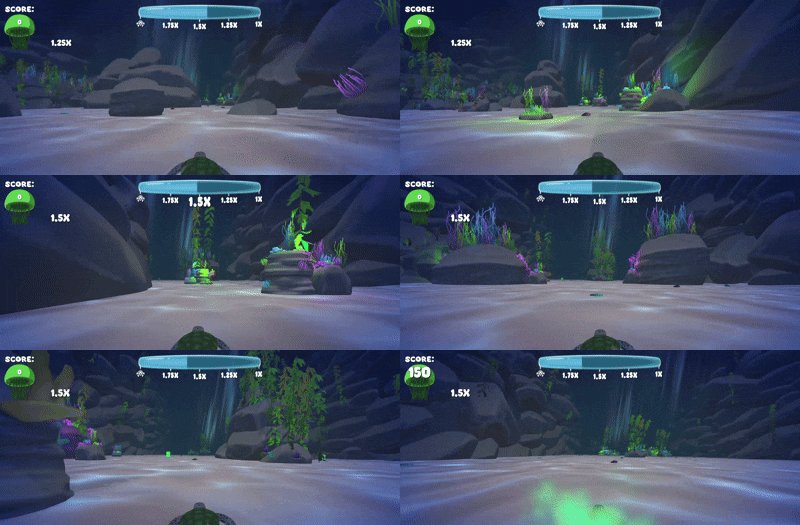
Tiny Shell Rough Sea
🎮 Link to game: https://coahl.itch.io/tiny-shell-rough-sea
My Contributions:
- UI
- Audio
- Scene Transitions
This was my first game project at The Game Assembly, made in 5 weeks in Unity. Our team made a simple Race Against the Sun type game where you play as a sea turtle and dodge obstacles in your way.
Buttons
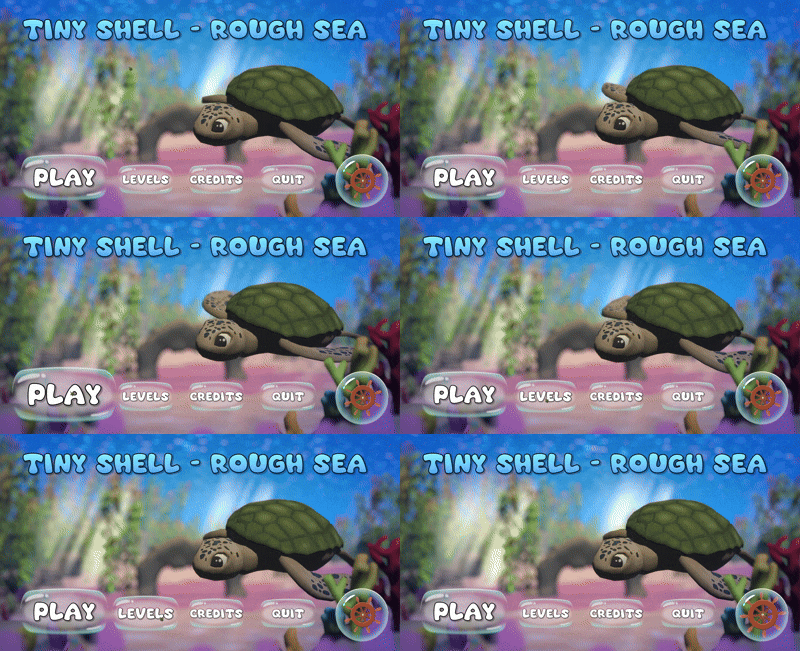
On this project, my main task was working with the game’s UI. Setting up the base functionality for the menus is in Unity is straightforward, since Unity already has working buttons built in that can be connected to any C# script function. Later in the project we decided we wanted our buttons to have hover effects and since Unity’s buttons did not support that I had to implement my own button script.
Making a button script in Unity is still straightforward, since you can expose a UnityEvent variable in the script to connect any C# script function. Unity also has interfaces for pointer events, so using those made the script simple.
  1public class Script_AdvancedButton : MonoBehaviour, IPointerDownHandler,IPointerEnterHandler,IPointerExitHandler
  2{
  3    [SerializeField] UnityEvent OnClick;
  4
  5    [Header("Size change when hovering")]
  6    [SerializeField] float myHoverScaleModifier;
  7    [SerializeField] float myScaleOvershoot;
  8    [SerializeField] float myOvershootFalloff = 4;
  9
 10    [Header("Rotation")]
 11    [SerializeField] float rotationsSpeed;
 12
 13    [Header("Colors")]
 14    [SerializeField] Color myDefaultColor = Color.white;
 15    [SerializeField] Color myDisabledColor = Color.white;
 16
 17    [SerializeField] Image myImage;
 18
 19    float myCurrentScaleOvershoot;
 20    float myScaleDirection;
 21
 22    bool myIsHovered;
 23
 24
 25    public bool Interactable
 26    {
 27        get
 28        {
 29            return myInteractable;
 30        }
 31
 32        set
 33        {
 34            myInteractable = value;
 35            myImage.color = myInteractable ? myDefaultColor : myDisabledColor;
 36        }
 37    }
 38    [SerializeField] bool myInteractable = true;
 39
 40    private void Awake()
 41    {
 42        if(myImage == null) myImage = GetComponent<Image>();
 43    }
 44
 45    private void Update()
 46    {
 47        Vector3 targetSize = Vector3.one;
 48        if(myIsHovered)
 49        {
 50            transform.rotation *= Quaternion.Euler(0f, 0f, rotationsSpeed * Time.unscaledDeltaTime);
 51            targetSize *= myHoverScaleModifier + myCurrentScaleOvershoot * myScaleDirection;
 52
 53            if (myCurrentScaleOvershoot > 0.01f)
 54            {
 55                if(transform.localScale == targetSize)
 56                {
 57                    myCurrentScaleOvershoot /= myOvershootFalloff;
 58                    myScaleDirection *= -1f;
 59                }
 60            }
 61        }
 62
 63        transform.localScale = Vector3.MoveTowards(transform.localScale, targetSize, Time.unscaledDeltaTime * 10f);
 64
 65    }
 66
 67    private void OnDisable()
 68    {
 69        myIsHovered = false;
 70        transform.localScale = Vector3.one;
 71    }
 72
 73    public void OnPointerDown(PointerEventData eventData)
 74    {
 75        if (!Interactable)
 76        {
 77            return;
 78        }
 79        Script_SfxManager.PlaySound(Script_SfxManager.Sound.Click);
 80        OnClick?.Invoke();
 81    }
 82
 83    public void OnPointerEnter(PointerEventData eventData)
 84    {
 85        if(!Interactable)
 86        {
 87            return;
 88        }
 89
 90        Script_SfxManager.PlaySound(Script_SfxManager.Sound.Hover);
 91
 92        myIsHovered = true;
 93        myCurrentScaleOvershoot = myScaleOvershoot;
 94        myScaleDirection = 1f;
 95    }
 96
 97    public void OnPointerExit(PointerEventData eventData)
 98    {
 99        if (!Interactable)
100        {
101            return;
102        }
103        myIsHovered = false;
104    }
105}
The first effect I made was making the buttons expand when hovered. This was done by setting a target scale variable, depending on if the button is hovered or not, and smoothly moving the local scale to the target value.
Since our button sprites would be bubbles, the hover effect was then made to be bouncy. I did this by alternating between a greater and smaller target scale, with an overshoot variable. That variable would then decrease every bounce to smoothly stop the bouncing
GUI
In our game we have a mechanic where you gain a greater score multiplier the less oxygen you have. Something we noticed during playtests was that most people did not understand the mechanic. To make it easier to understand, I added a bounce effect to the multipliers when they became active.